
What is the best camera app for iPhone? While the stock iOS camera is sufficient for most, those looking for something with a little more power and flexibility should consider using an alternative camera app. It can be overwhelming sifting through all the camera apps currently offered on the App Store. So here is a list of worthy replacements to consider, which will help you narrow down the search and provide you with the ability to make an informed decision when it’s time to upgrade your iPhone camera app.
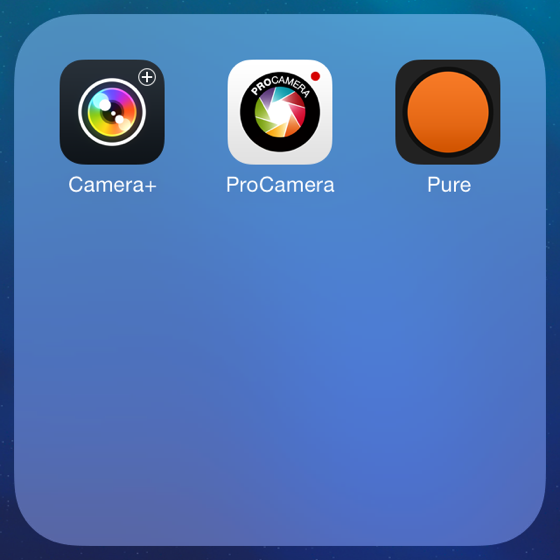
While the majority of these apps do include editing tools and filters, this article will mainly be focused on capturing images.
Things to Consider
The largest difference between the stock iOS camera and most alternative ones available on the App Store is the ability to individually set the exposure and focus when snapping a photograph, which helps ensure a photo comes out sharp and with the right amount of brightness.
The other major factor that separates the stock iOS camera from ones like Camera+, ProCamera 7, and PureShot is that the latter all have the ability to save a captured image in a less compressed format. Without getting too much into detail, a less compressed image is generally preferable as it allows for a bit more freedom when choosing to edit an image, and will also preserve a little more detail afterwards.
Whether there is a noticeable difference to the naked eye between “compressed” and “uncompressed” images is a moot point. Serious iPhoneographers will naturally be inclined towards using an alternative camera app that minimizes the quality degradation of their photos.
Lastly, since the majority of the alternative camera apps perform similarly, in order to choose the best iOS camera replacement app unique offerings like aspect ratio capture formats, histograms, grids, and other features will be considered.
The Contenders
This is not an exhaustive analysis of all available camera apps, there are new ones appearing regularly and including every replacement camera app would be an extremely daunting task. Therefore, what follows is a consideration of the most popular camera replacement apps available.
Camera+
Perhaps the most perennial camera app available in the App Store, Camera+ by tap tap tap is a great alternative to the stock iOS camera. It is packed with the usual features, including the ability to set exposure and focus individually, exposure compensation during shooting by up to +/-2EV, a 6x zoom, ISO information, an option to shoot with stabilization, and a choice to capture images in three levels of quality.
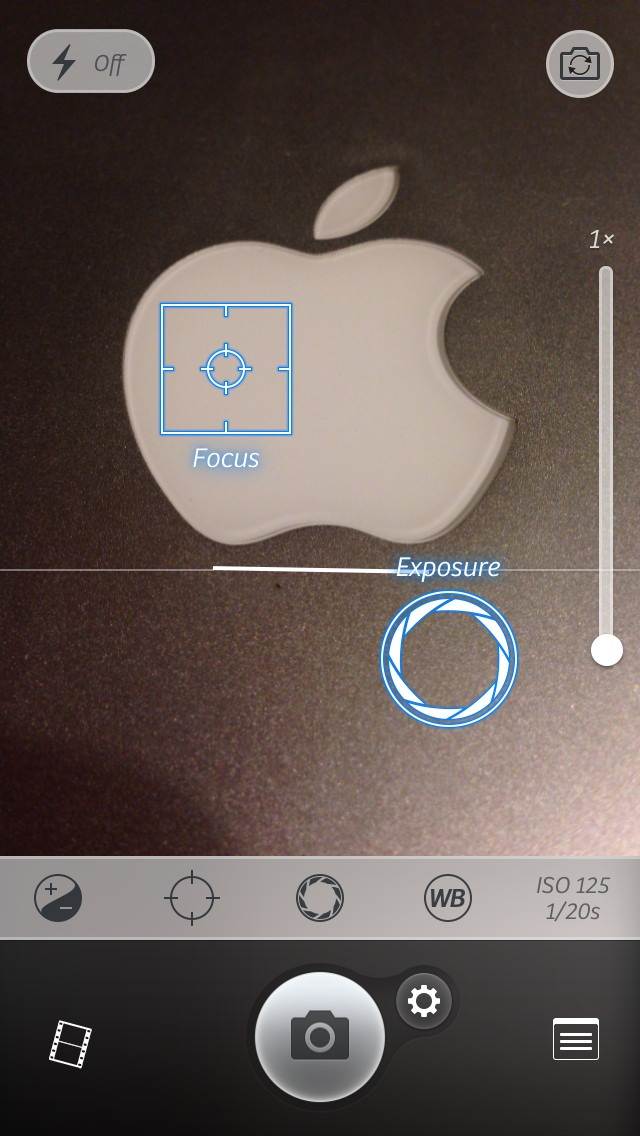
One thing that Camera+ does not have is the ability to shoot video. To many iPhoneographers this is not a deal breaker, but not having an option to record video on occasion may steer potential users to other camera replacement apps that do have that option.
Also, with regards to shooting quality, Camera+ offers three choices: High, Normal, and Optimized, with High having the highest quality and thus the largest file size. While High is a great choice for those looking to improve the quality with which they capture images, many other camera apps are now including the TIFF file format, a very large and uncompressed image file, which is still missing from Camera+.
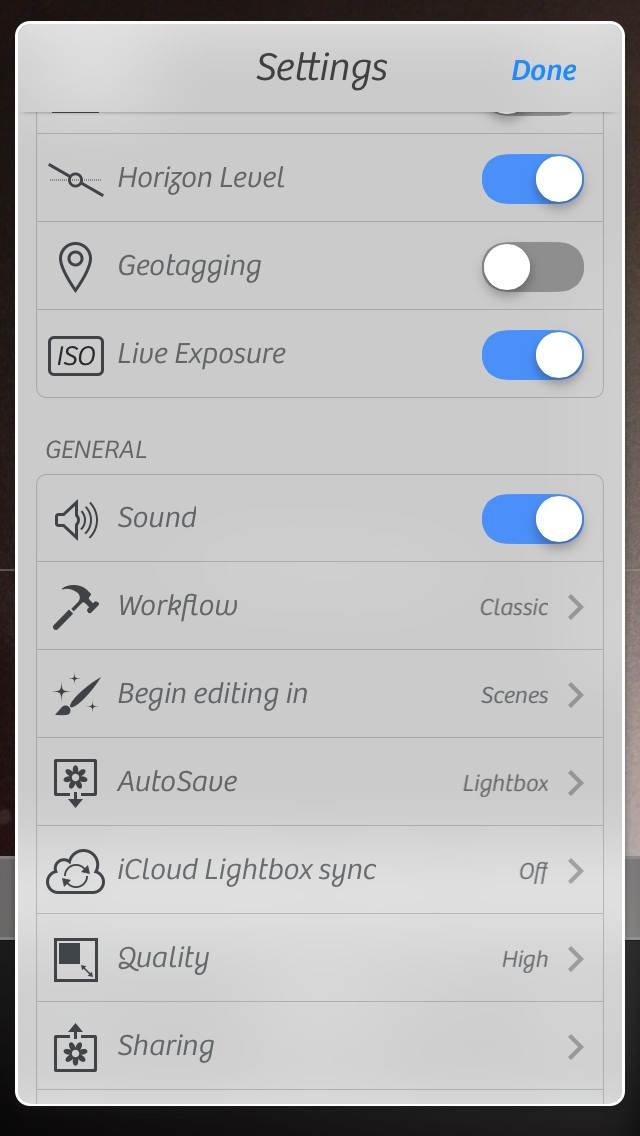
Finally, Camera+ gives the user a choice of saving captured images to the iPhone’s Camera Roll, or having them accumulate in its Lightroom, which can be thought of as a holding area for photographs and is useful for sorting through images before saving them to the Camera Roll.
ProCamera 7
Another well designed camera app for iPhoneographers, ProCamera 7 has all the features expected of an alternative camera app, as well as a few additional ones that allow it to stand out a bit among all the available camera apps on the App Store.
ProCamera 7 contains all the typically expected features. Exposure and focus can be set individually. There are a variety of aspect ratios to choose from when capturing images, including 4:3, 3:2, 16:9, 1:1 and 3:1 and aspect ratio. There is also a 6x zoom, and a few shooting modes, including Anti-shake, Self-timer, and a Rapid-fire burst for action shots.
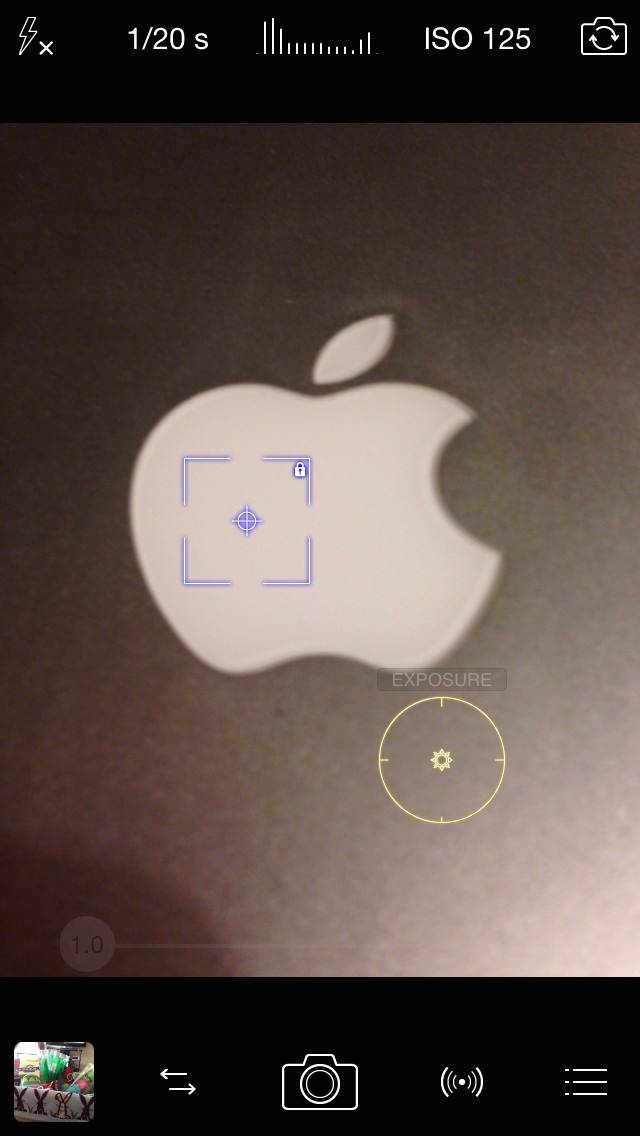
While similar in nature, there are a few features that separate ProCamera 7 from other available camera apps.
Firstly, ProCamera 7 has recently been updated and has added the option of saving images in the highly coveted TIFF format. While considered to be the best available image quality option, the files do take up a larger amount of space on the iPhone. Also, seeing as a serious iPhoneographer will most likely be editing the photo afterwards, it is important to note that while an abundance of editing applications exist in the App Store, not all of them work with TIFF files.
Specifically, while many editing apps are able to open the TIFF file to edit, they save it back to the Camera Roll as a JPEG, essentially defeating the original purpose of saving an image in TIFF format.
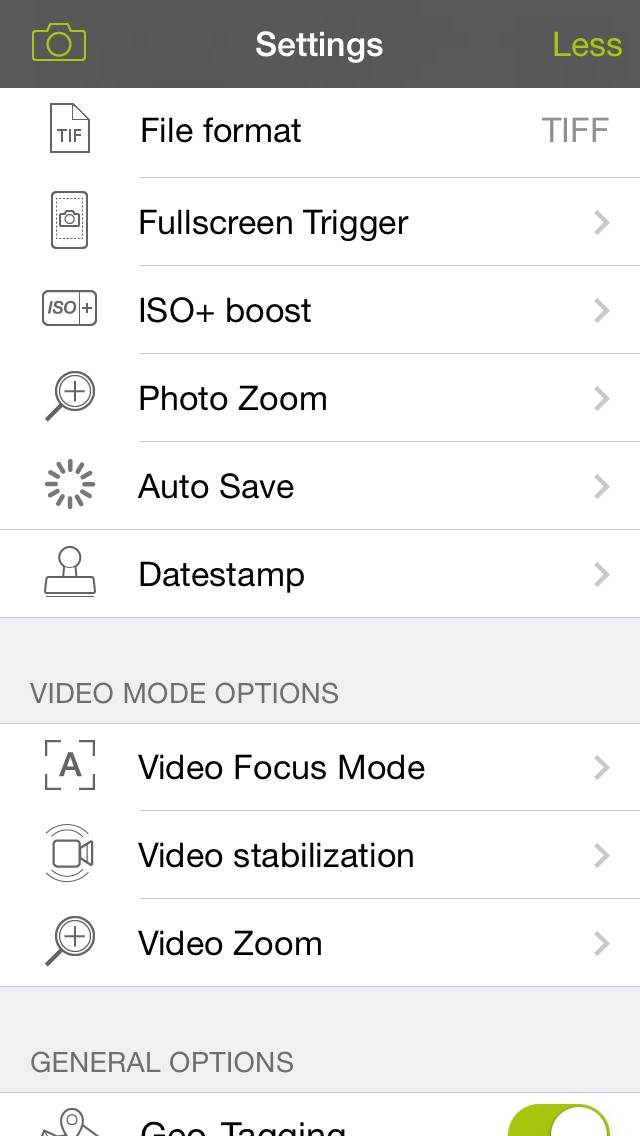
Another unique feature that ProCamera 7 includes is the ability to shoot video, as well as capture images while recording video. As previously mentioned, being able to shoot video is often not a top priority for an iPhoneographer, but it is nice to have the option to do so in case a moment arises. As with the image saving options offered by ProCamera 7, there are several resolutions available for video (VGA, 720p, and 1080p), along with a choice of frame rates (24fps, 25fps, and 30fps).
Finally, ProCamera 7 has the unique ability to read bar codes and QR codes. Again, not a feature that specifically impacts photo taking capability, but definitely a bonus to those who are always comparison-shopping and looking for deals.
PureShot
The most noticeable difference, when compared to Camera+ and ProCamera 7, is the design of PureShot. Aside from its icon, it does not follow the flat design of iOS 7. Other than that difference, PureShot contains many of the same features.
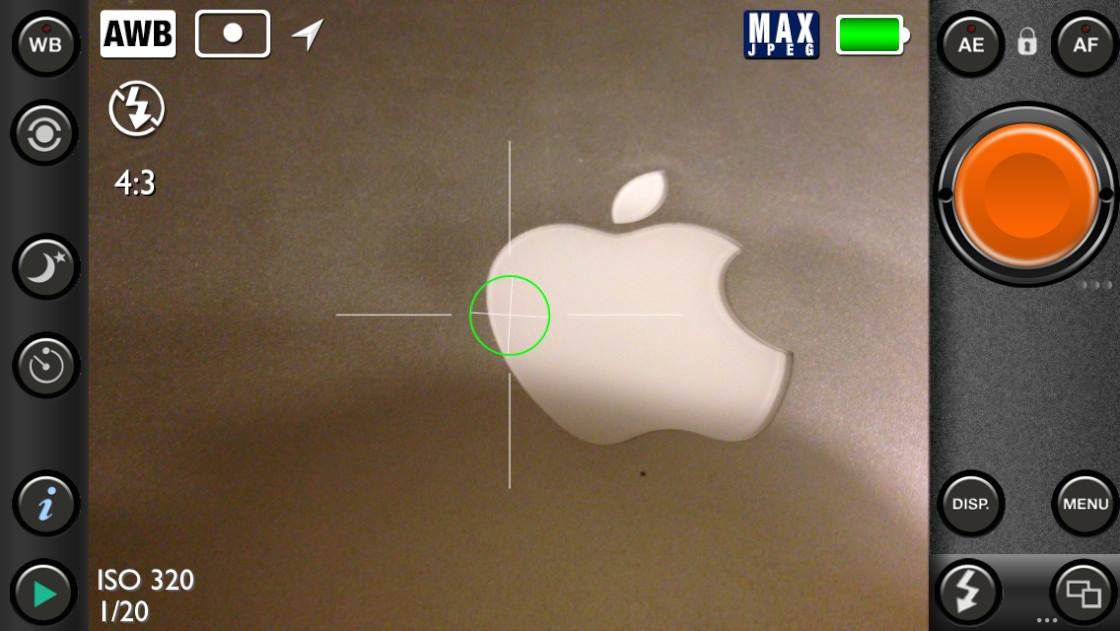
You have the ability to set exposure and focus individually, ISO information is displayed on-screen as you shoot, and there is a night mode option for longer exposure times during low-light conditions.
What gives PureShot its uniqueness is the added function of a 3-shot bracket, which enables the user to select two additional points of exposure in order to shoot three differently exposed images that can later be combined into a single High Dynamic Range (HDR) photo.
Also unique to PureShot are the two available options for releasing the shutter button. After the user taps and holds the shutter button to lock the exposure and focus, they can either tap a second time to release the shutter or simply release the shutter once the finger is lifted off the button.
As for the quality, PureShot offers three choices: Hi-Quality JPEG, often best for everyday shooting. Max-Quality JPEG, which has minimal image compression but a larger file, and finally, PureShot offers dRAW TIFF, which has no JPEG compression.
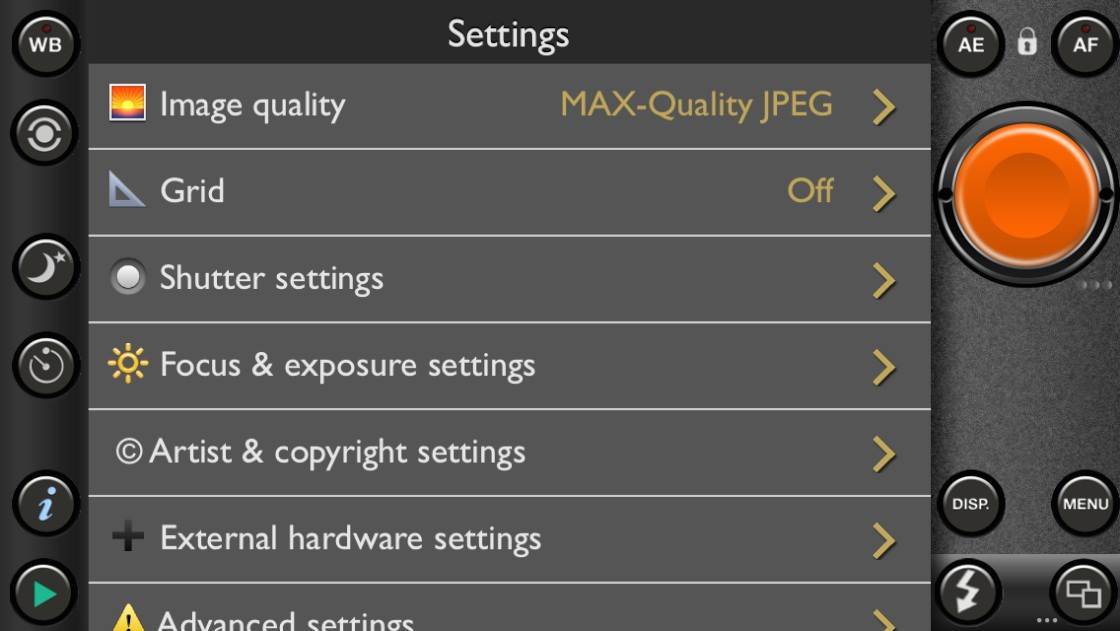
While overall PureShot is an excellent alternative camera app, it can be viewed as being geared towards the more serious iPhoneographer because it offers settings that might not be needed by everyone, such as four types of histograms, shutter speed adjustments, and a couple of external hardware settings to use with a DSLR lens mount.
For the everyday shooter, PureShot may seem a bit overwhelming with its extra features and refinements. If that is the case, there are plenty of alternatives that offer an amazing user experience with a more user-friendly approach. To those interested in tinkering with additional settings, PureShot is an excellent alternative to the stock iOS camera.
The Rest of the Pack
Two specialty shooting camera apps available in the App Store are Cortex Camera by Whimsical Productions, and ClearCam by Occipital Inc. What separates these two shooters from the rest of the camera apps is that they take several photos of a scene and combine them to process out noticeable sensor noise and deliver sharper photos.
As of right now, ClearCam has not been updated since April 2013, while Cortex Camera was just updated, so purchasing Cortex Camera would be a wiser choice since this app is still being supported.
Final Conclusion
I highly recommend ProCamera 7 as the best iOS camera replacement app. While I do keep several different camera shooting apps on my iPhone, ProCamera 7 is the only one not tucked away in my “Photography” folder, and instead occupies a place on my home screen so I can quickly access it. I have found it to crash the least and work the smoothest, two factors that are important to me when it comes time to capture an image.
As previously mentioned, the camera replacement apps offered on the App Store are similar in function and also share many common features. For a user who wants the simplest experience, Camera+ would suit their needs well. For those looking for more advanced settings and functions, ProCamera 7 and PureShot would be better options mainly because both offer the option of capturing an uncompressed image, which is something that Camera+ does not have right now.
Finally, for an all-around great experience, I recommend ProCamera 7. It has advanced settings for serious iPhoneographers, and it also includes additional features that make it ideal for everyday use.