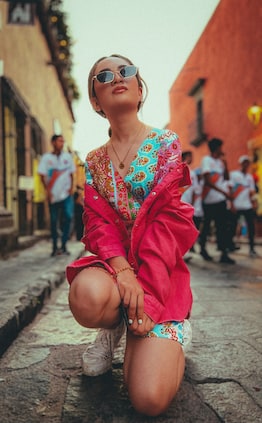

Today I’m really excited to share with you an interview I recently did with Geri Centonze. Geri is an iPhone photographer, artist and a fellow iPhoneography blogger from Art of Mob.
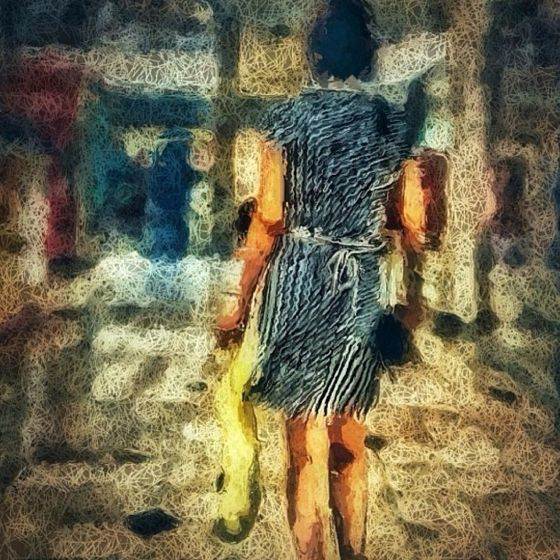
Geri is known for combining elements of photography and painterly art into a unique fusion of digital imagery. In this interview you’re going to learn more about Geri and her unique iPhone imagery techniques. Geri is extremely generous with her answers, and there’s so much to be learned from this interview!
Tell us a little bit about yourself.
I live in Southern California with my husband, Paul where we work together in our family business. Between the two of us we have 3 sons, 1 daughter and 3 granddaughters with two more grandchildren on the way. I’ve always had an interest in art. From 2008 until 2012 I drew over 1300 sketch cards which were sold to collectors worldwide.
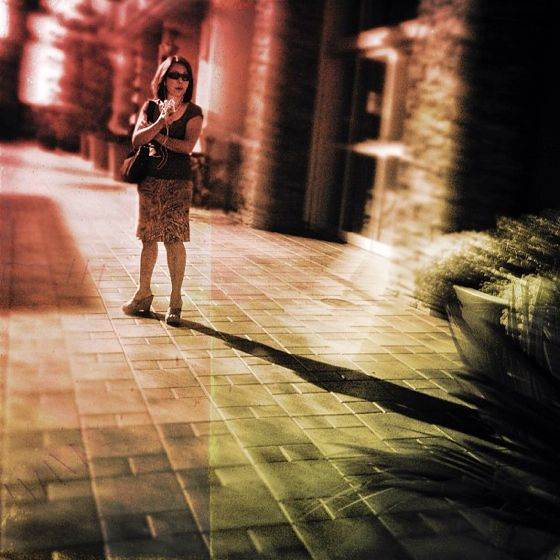
How did you become a passionate iPhoneographer?
The first time I was able to manipulate an image to look like a painting I was hooked! That was in July of 2012 after discovering the work of Karen Messick through her blog. I joined Instagram and found more mobile photographers whose work I was inspired by.
About that time the L.A. Mobile Arts Festival was held in California and I walked through the exhibit in amazement at the work that was being created with only an iPhone! Because I was a former portrait artist, I was particularly drawn to the work of Roger Guetta, Lanie Heller, Petyr Campos and Nico Brons whose work was part of the exhibit.
Do you have any favorite photography themes or subjects?
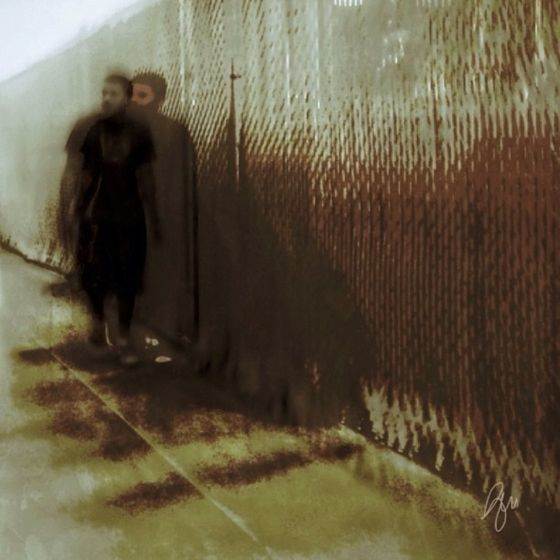
I love experimenting but perhaps my favorite style is creating painterly images, especially faces. My second love (which I’m still trying to learn) is street photography. I find people endlessly fascinating particularly when they don’t know they are being photographed.
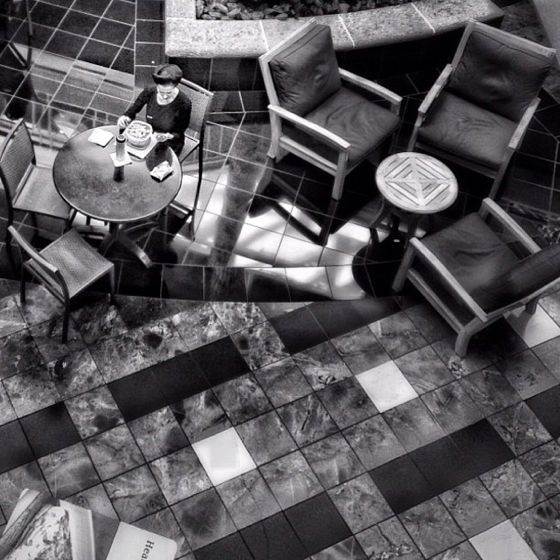
Unfortunately I live in a quiet suburb so the chances of seeing anyone, let alone photographing them without being noticed is rather difficult. I find that lately I am shooting a lot of flowers but that’s probably because it is one thing that we have in abundance around our home. I have also been experimenting with creating HDR images using a single shot.
Most of your photos are heavily post-processed. Could you describe your photo editing workflow?
Almost every image I shoot is first run through Snapseed where I crop it, adjust Brightness, Contrast, Ambiance, Saturation and White Balance and then play with the Details sliders for Sharpening and Structure. I often use the Center Focus adjustment in Snapseed as well.
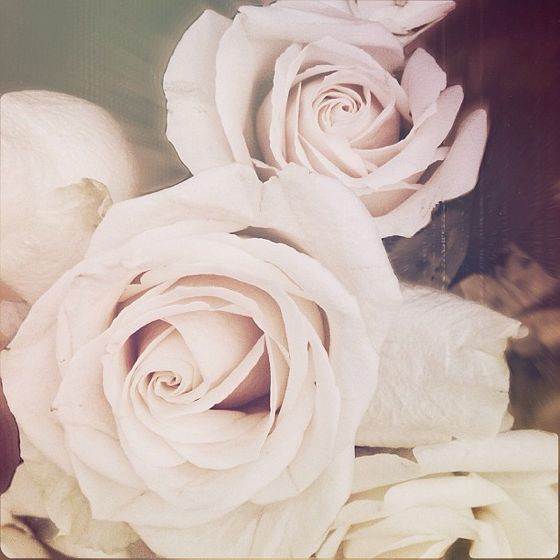
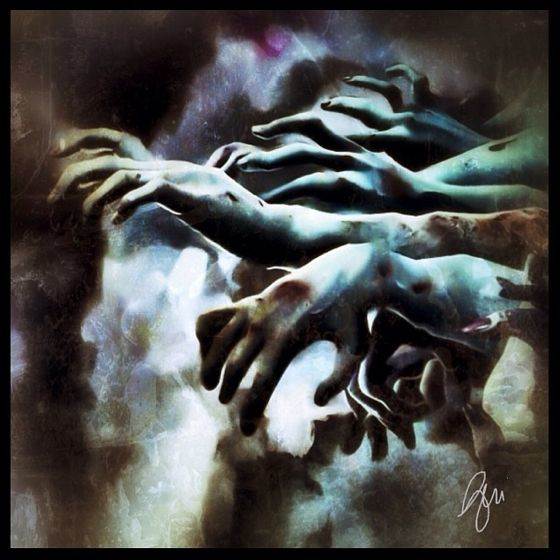
For painterly images I use several apps such as Artist’s Touch, Glaze, iColorama, PhotoViva, Repix and Tangled FX to create several different versions of the Snapseed adjusted image. I got familiar with Sketch Club when I was doing a lot of digital painting so it is my layering app of choice.
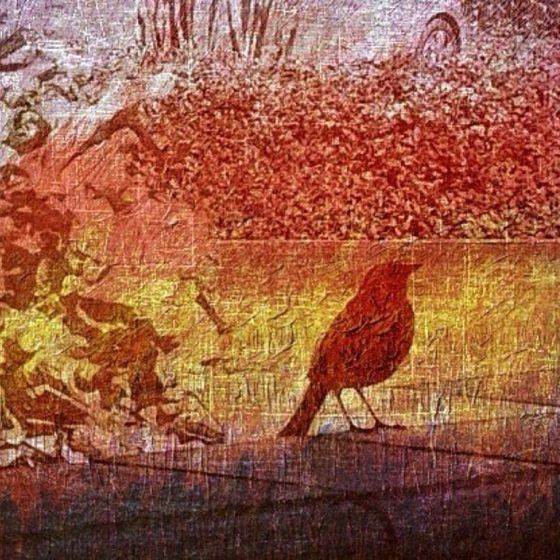
I pull in all of the versions along with the Snapseed image into Sketch Club and layer them erasing parts of the various layers to expose different layers in different areas. Sometimes this is enough to complete the piece, but often I go back to Snapseed for some additional adjustments or move to an app like VSCO Cam, Mextures or Distressed FX to get a softer or textured look. I also use the Reduce Noise feature in Photoshop Express on many of my edits.
Like most iPhoneographers, you use a number of different photo apps. But if you could only use one photo app, which one would it be and why?
That’s pretty tough. My first response was going to be Snapseed but there aren’t any painterly editing tools, so it would have to be iColorama because with it I can do general editing (cropping, exposure, sharpening, white balance, etc), layering and with the new brushes some painterly styles as well. I don’t think I’ve discovered all that iColorama can do yet!
You often edit your iPhone photos on the iPad. What are the advantages and disadvantages of using two devices like that?
For me there is one clear advantage, I can SEE on my iPad where the tiny screen of my iPhone 4S just doesn’t work for me. I splurged and got the 128 GB iPad so there is never a shortage of space and I can download apps to my heart’s content. The disadvantage is having to transfer my images but there’s an app for that!
It can be a hassle to transfer photos between devices as Photo Stream isn’t always fast and reliable. How do you handle that?
I don’t use Photo Stream at all. I use the Photo Transfer app for transferring from my iPhone to my iPad and Dropbox for transferring from my iPad to my Mac where I store all of my edited images. Photo Transfer allows me to move my photos directly from my iPhone to my iPad camera roll or even a specified folder.
I use Dropbox to transfer to my Mac mainly because I can just drag and drop them to folders. The Photo Transfer app also works with a Mac or PC, but I find Dropbox easier.
Could you briefly explain the story and editing behind your three favorite iPhone photos?
If you asked me this on a different day, I would probably choose 3 different photos! It’s kind of like children, it’s hard to name your favorites.
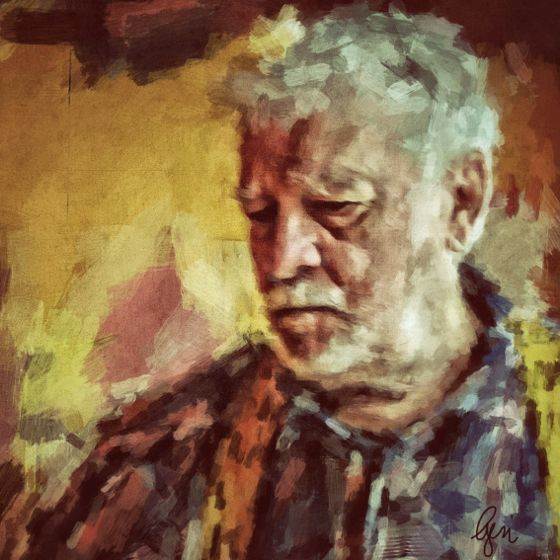
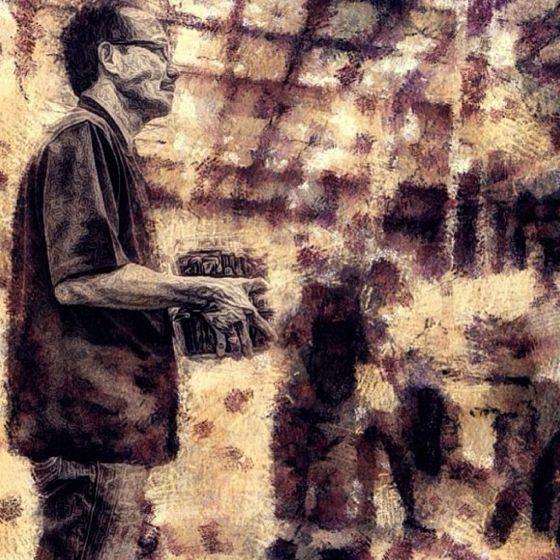
The first is a painterly portrait of an elderly man I spotted while out to lunch one day. There was something about his homespun look that caught my eye. His hair was disheveled and he wore suspenders.
Editing was done by first cropping to zoom in on his face using Snapseed where I also did some basic adjustments to Brightness, Contrast and Saturation. I used both Portrait Painter and PhotoViva to do painterly versions of the image that I edited in Snapseed.
Using Sketch Club, I layered the painterly versions and combined them allowing areas of more detail to show around the face. This is one of my favorites because I could finally achieve with my iPad what I could never do with an actual paintbrush!
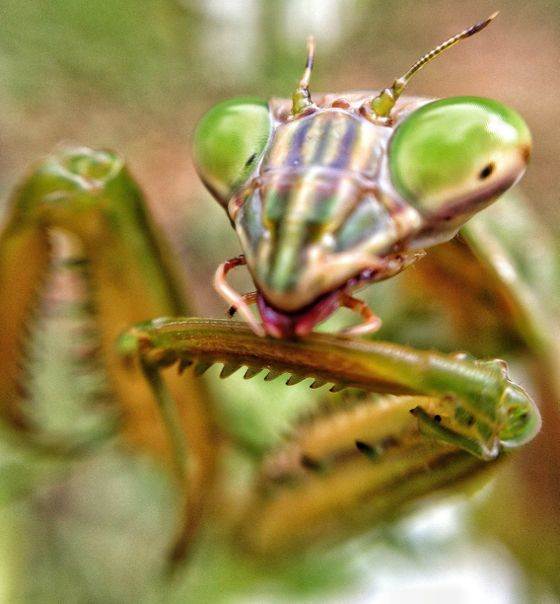
The second is a macro photo I shot while visiting my son in Pennsylvania. We spotted the rather large Praying Mantis on his deck. I grabbed my iPhone and attached an Olloclip and took a few images of this amazing creature. I still can’t believe the quality of the photo taken with an iPhone!
It would have been even clearer had I been able to stabilize my camera with an iPhone tripod. Editing was done using only Snapseed adjusting the Tune Image sliders and then applying just a touch of Center Focus.
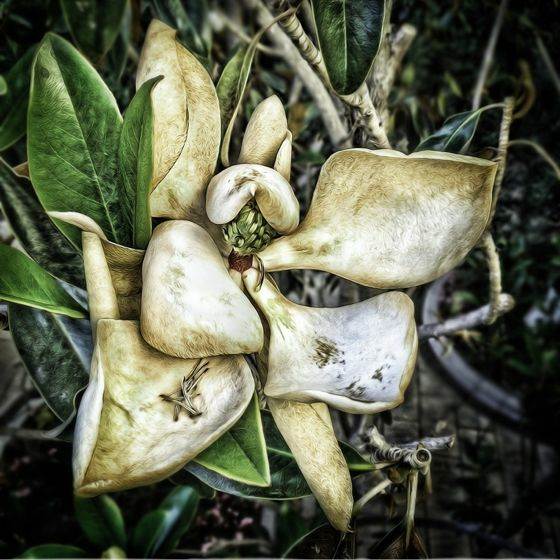
Number three is one of the images where I used a single shot to get an HDR effect. To create the HDR effect I used the Exposure adjustment in PhotoForge2 to overexpose and underexpose the the image of the magnolia blossom. I then combined the over and underexposed versions using iCameraHDR.
With Filterstorm, I darkened the image and then painted in an adjusted layer using the masking tools. Some general adjustments were made with Snapseed along with adjusting the Structure with the Details tool. I ran this version through Tangled FX and then combined the two versions in Sketch Club using a Normal blending mode, reducing the opacity of the Tangled FX layer which was on top to about 75%.
Back to Snapseed for some final touch-up. Since editing this photo, PhotoForge2 and iCameraHDR are no longer available in the App Store.
Where do you think mobile photography is headed in the future?
I think the future is bright for mobile photography. iPhone photos have already made the cover of Time Magazine and other publications. It’s been said before, but hopefully one day the traditional photography community will embrace mobile photographers as one of their own who use a different tool. I would also expect to see more mobile photographic art displayed in major art museums throughout the world.
You have an iPhoneography blog Art of Mob. What motivates you to keep working on your blog?
Sheer love of the art form. If I didn’t have to sleep, I’d probably work all night on it! I love sharing the work of others and meeting artists I admire through the interview process.
Recently I started a series on my blog called The Whole Story where images are featured with a bio on the photographer and the story behind the images. Submissions can be made through EyeEm and Instagram. Some of the backstories are truly fascinating and it always makes the photograph even more meaningful.
Another area I find particularly enjoyable is teaching. I haven’t created a lot of tutorials but that’s something I hope to do in the near future. Feedback from my readers also keeps me going. Recently I considered discontinuing my blog and I also resigned my position blogging for We Are Juxt because of time constraints, but the “love” I received from people who read my blog encouraged me to keep going, even if it meant cutting back.
Where can we see your iPhone photography?
Instagram / EyeEm / Flickr / Art of Mob / Twitter / iphoneart
I also administer a Flickr Group for mobile artists who edit in a painterly style.
Would you like to start creating your own stunning works of art from your iPhone photos? Check out these 6 great apps that turn photos into drawings.